Zero-G is a free, persistent space MMO that runs in a browser tab: no download, no client, and you can start as a guest without an email. It is one shared world that has not been reset since it opened in January 2026, and it keeps growing. 1,727 pilots have registered and more than 21,000 missions have been flown.Our last article here covered Alpha 5.4.5, which rebuilt planetary surfaces from real NASA elevation data and let you zoom in until your ship appeared at its true size. That terrain was something you looked at. With Alpha 5.5.0, it becomes something you fly over and land on.
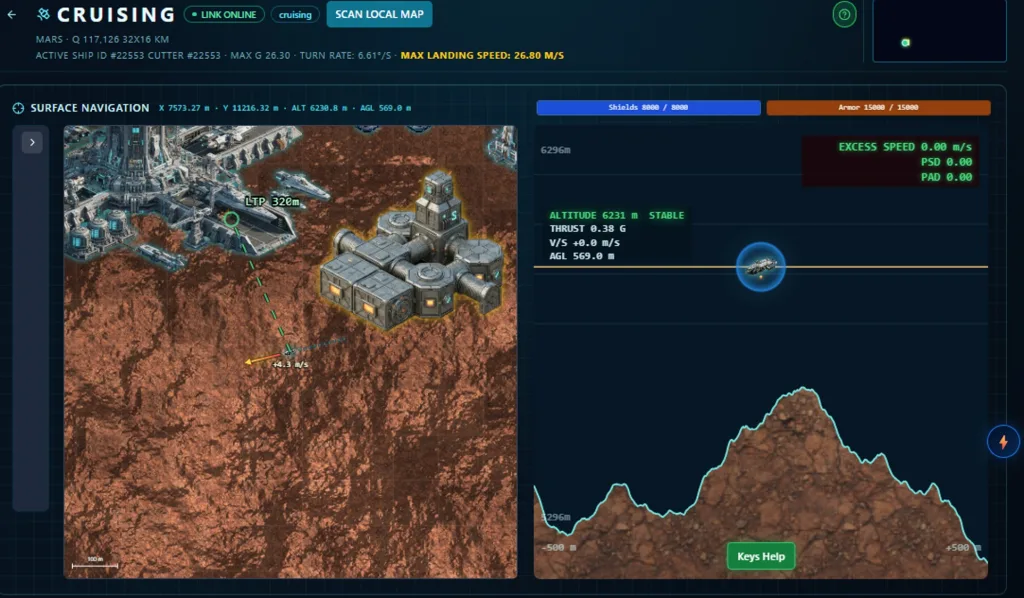
Fly over the terrain, land anywhere
You can now fly your ship over a planet's surface in real time, alone or alongside other players, and put it down exactly where you choose: next to an ore deposit, on a ridge, beside another pilot's ship. Everyone sees everyone else. The quadrant map now shows every ship from every player, landed or in flight.
This was the biggest release we have shipped. Keeping it consistent, real-time and fully multiplayer meant rebuilding far more than we planned to touch.
Your ship's stats now decide how it flies
Every ship gets three new parameters:
- Cruise turn rate: how fast the ship rotates. It depends on its maximum G and its mass, so a scout turns quickly and a loaded cargo hauler does not.
- Maximum Landing Speed: the impact your landing gear and shields can absorb without damage. It is measured on total speed, horizontal plus vertical, so drifting sideways while descending gently can still hurt.
- Mining Range: how close to a deposit the ship must be to mine it.
Landing, step by step
On a fully scanned quadrant, "Initiate Landing" lets you double-click any point on the map and start a cruise session. At the large spaceports on Earth and the Moon, "Auto Land at HQ" still puts you down with one press, for when you just want to be on the ground.
The cruise screen has two views. On the left is a top-down map that zooms all the way to true scale, where your ship, buildings, deposits and other players' ships are drawn at their real size. On the right is an elevation profile of the terrain ahead of and behind you, with a vertical scale you can zoom to read a slope properly.
The controls are simple, but two keys matter more than the rest. Q kills your vertical speed and holds you in a hover. V freezes your descent rate at whatever it currently is, so it stops accelerating. A clean landing is: hover above your spot, release, let the descent build toward your safe limit, press V, and ride it down.
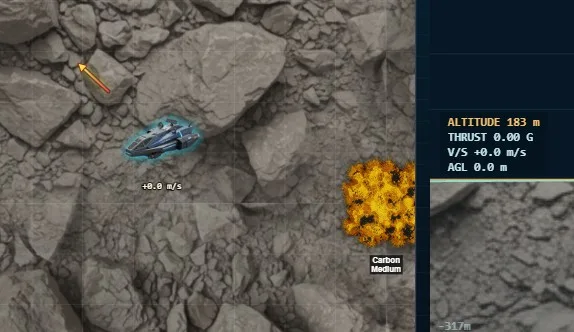
You see the damage before you take it
Two live readouts, Potential Shield Damage and Potential Armour Damage, show what a touchdown would cost if you hit the ground at your current speed. Green means a clean landing. Come in too hard and your shields absorb the impact first, then your armour. At worst the ship is left with no shields and one point of armour, and needs repairs.
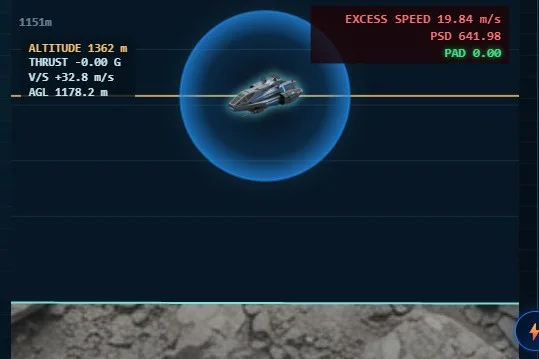
Mining now means flying to the ore
The mining screen lists the distance from your active ship to every deposit, and you can only start mining once you are inside your ship's Mining Range. Finding ore with terrain probes, which arrived in 5.4.5, now has a physical second half: you have to go there and land close enough.
Since our last article
- Guests now get the full solo game: headquarters, their personal office, flying, landing, surveying, mining and trading. Registering, still free, adds ventures, expeditions and the shared world, and your progress comes with you
- Survey data has become a trade good. Players can publish what they have found and sell it to others
- Portal MMO in Poland published the first scored review of Zero-G and gave it 8 out of 10
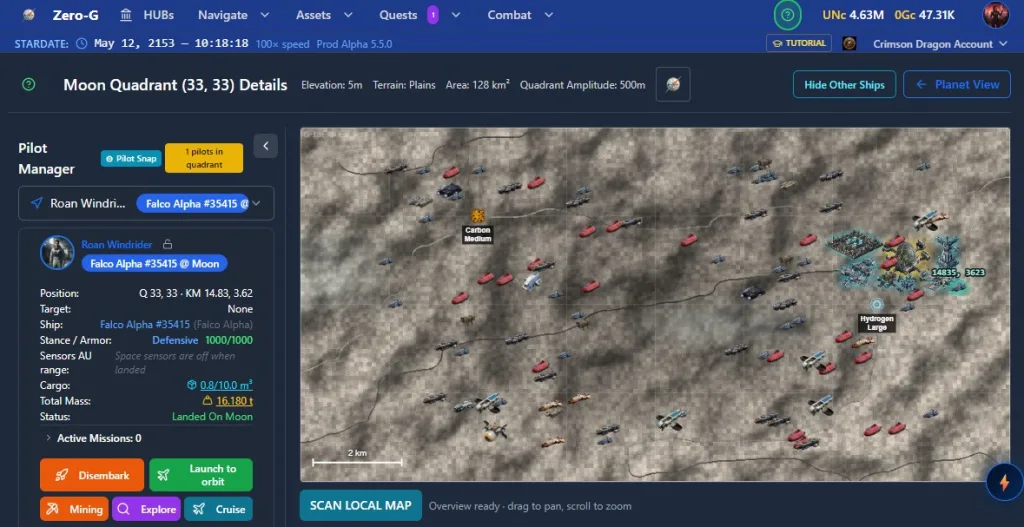
What it is for
Being able to put a ship anywhere on a planet is the groundwork for what we are building next: owning land on planets and building your own bases on it. That part is not in the game yet. What is live now is the flying, the landing, and a world where where you stand finally matters.
It is still alpha. The terrain textures repeat, and there are fewer ship types than there should be. We ship an update every two or three weeks, and every one of them is written up in the public Flight Log.
Watch a full landing in the 4-minute tutorial: https://youtu.be/Ld34l2g95Oo
Read the written guide: https://space.zerog.live/help/view/cruising
Play free in your browser: https://space.zerog.live/?utm_source=browsermmorpg&utm_medium=referral&utm_campaign=alpha_550
Comments